The AI Video Agent Playbook: Edit Videos and Add Motion Graphics with Claude Code
How can marketers turn one take into a polished video and Reel with motion graphics, without any video skills? A one-hour setup, step by step, that you reuse for every video.
Why read this? The video below was recorded in one take. Everything else (every motion graphic, every logo, the captions, the music, the pauses) was done by AI. This playbook shows you how to build your own AI video agent with Claude Code in about one hour, step by step, with copy-paste prompts, a quality check after every stage, and no extra tools to buy. Once it’s set up, it turns a single take into a finished video like mine, plus a vertical Reel, and every video after that takes a fraction of the time. The full playbook is free for free subscribers.
AI video editing with a coding agent means you record yourself once, drop the file into a folder, and let Claude Code do the rest: transcribing, cutting, designing motion graphics for every sentence, adding captions and music, and rendering the finished files: 16:9 for LinkedIn and YouTube, 9:16 for Instagram Reels, TikTok and YouTube Shorts. You direct in plain language. You don’t need editing software, extra AI video tools, or video skills, and apart from a Claude plan it costs nothing.
I recorded the video above once, for my keynote at the B2B Communication Days, and handed it to a video agent I had built with Claude Code. I don’t know what makes a good cut. But I can say “subtitles in pink”, and a few seconds later the subtitles are pink.
In my last post, The Playbook Changes, The Game Doesn’t, I argued that every marketer is now a builder. This post is the proof you can replicate: in about one hour, you’ll build the same agent yourself. It lives in a folder on your computer, learns your brand once, and checks its own work before it shows you anything.
👉 Want the shortcut? Use my skills. Subscribe for free to read on and get my video editing skills. Install them with one line, say “Edit my video”, and your agent does the rest.
For thirty years, professional video sat behind three walls: expensive software, years of craft, and an agency budget. That makes it the perfect test for the builder thesis. If a marketing professor with zero editing experience can produce this, the walls are gone, and what remains is the part that was always ours: knowing what to say, to whom, and why it matters.
And this isn’t another AI video app with a button and a template that makes you look like everybody else. You set up an editor that lives in a folder on your computer, learns your brand once, and applies it to every clip after. The pattern behind it (break a creative job into steps, hand each step to a machine, check the result) works just as well for presentations, landing pages and sales letters.
👉 Think of your first run as onboarding a new team member: you explain once and get the quality every time after.
What the AI did in my video
Here’s what happened between the raw take and the finished file:
Cut the single take without clipping a single word.
Designed a motion graphic for every sentence, each timed to the words I speak.
Switched between three framings of my face, from full frame to a small circle.
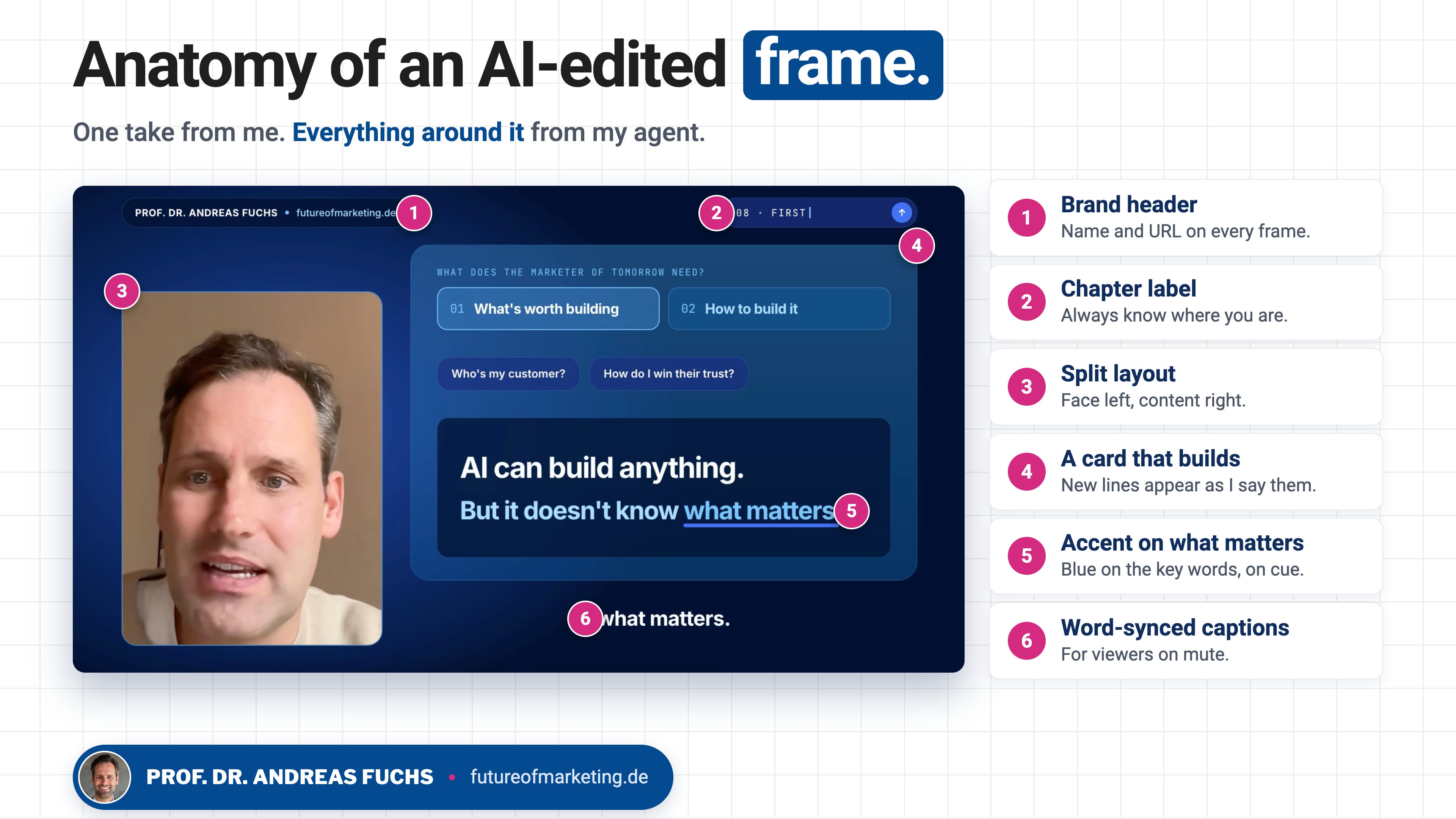
Added word-synced captions and my brand on every frame: header, chapter labels, colours.
Built the interface mockups, placed the logos, added music and shaped the pauses.
Worth knowing: even the Claude Code window you see in the video isn’t a screen recording. My agent built it from a description. Real brand marks work differently. If you want a specific logo, a product shot or a screenshot of your own tool in the video, put the file into the folder and tell the agent where it belongs. The more precise your input, the closer the result gets to what you have in mind.
Six things my agent added to a single take.
How does AI video editing with Claude Code work?
Behind the scenes, the agent orchestrates a few free, open-source tools you never touch directly:
Source: your raw take, untouched.
Transcript: every word with its start and end time, from a speech-to-text model.
Cut: a locked list of which seconds stay, executed with ffmpeg.
Design: your brand file plus a visual for every sentence, written as small web pages.
Render: HyperFrames, an open-source tool by HeyGen, turns those pages into video frame by frame.
That last point is the trick. Every visual in my video is a web page, and coding agents are extremely good at building web pages. So instead of asking an AI to “edit a video”, you ask it to build a sequence of precisely timed pages.
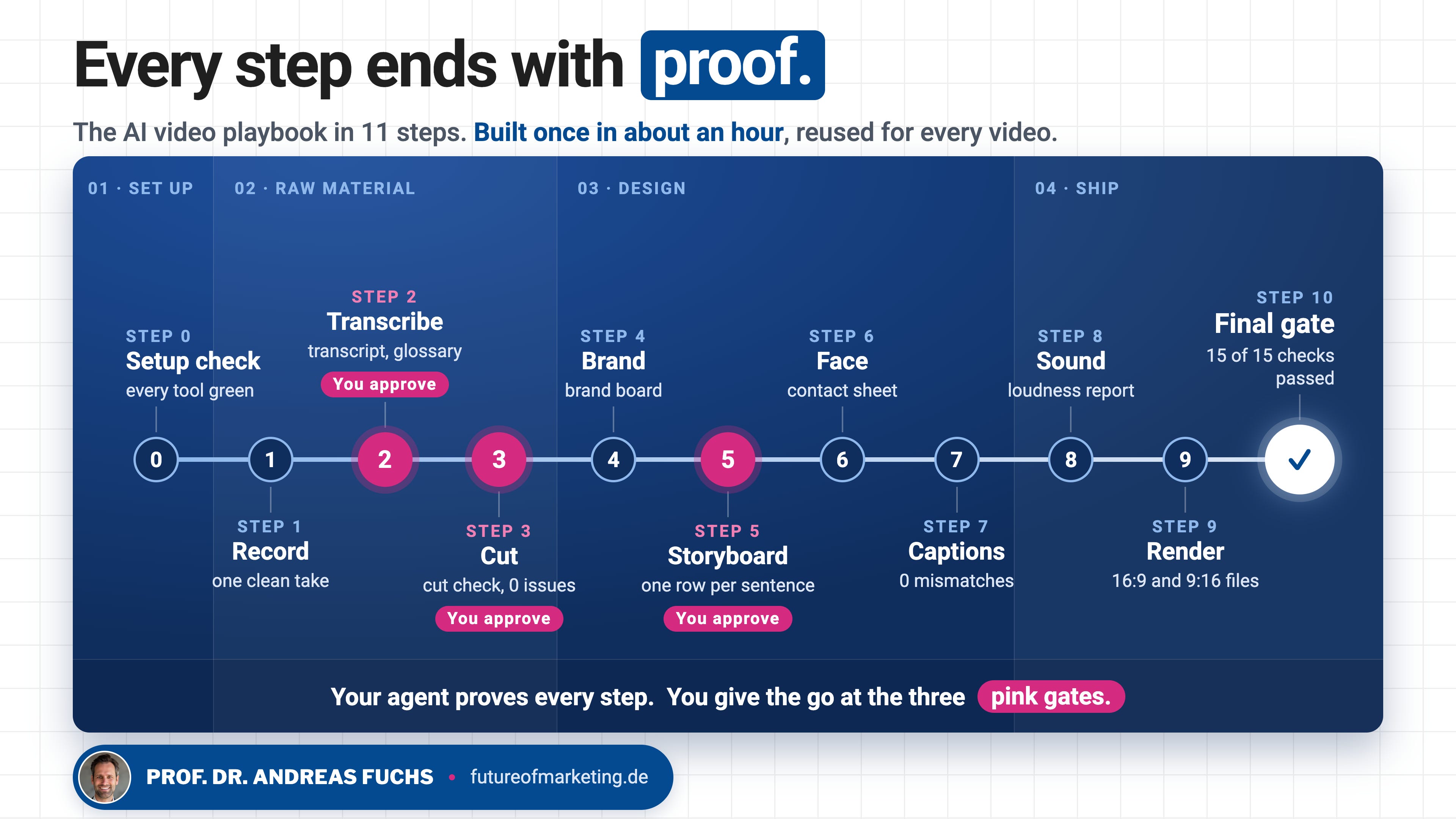
👉 Every step ends with proof. The agent doesn’t move on until it has shown you evidence: a transcript, a cut check, a still frame, a loudness reading. Most bad AI edits come from an agent that guessed. This playbook doesn’t let it guess.
Future of Marketing is a reader-supported publication. To receive new posts and support my work, consider becoming a free or paid subscriber.
Phase 1: Set up your video agent
This is the part you do once, in about an hour. And it costs nothing extra. The only paid piece is a Claude plan that includes Claude Code: Claude Pro starts at $17 a month on annual billing. Everything in the kit below is free and open source, so you won’t need Higgsfield, a video app subscription or an agency. The only other thing you might pay for is a music licence. If you end up editing videos every day, Pro’s usage limits can slow you down, and a Max plan gives you more room.
Your kit
Claude Code or OpenAI Codex, opened in a new, empty folder. Call it something like video-studio.
ffmpeg and ffprobe for cutting and inspecting video.
Google Chrome, which HyperFrames uses to render frames. It downloads its own copy with one command.
Python 3, for face detection and as a backup for transcription.
Your clip: one take, 45 to 90 seconds, you talking to the camera.
Your brand assets: logo files, colour codes, fonts, one or two visuals you like, and any screenshot or product image that should appear in the video.
A music track you have the rights to use.
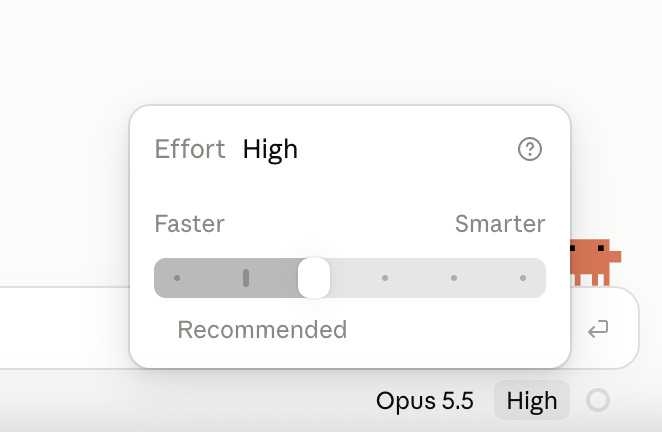
Choose Opus 5.5 and set effort to High before you start. The design judgment in Steps 4 to 6 is where the stronger setting pays off.
Don’t install anything by hand. The setup prompt below checks what you have, and the agent installs the rest with your approval.
Step 0: Run a setup check
Prompt: Setup check
I want to use this folder as a video editing studio. Check my setup first and don't install anything yet.

1. For each of these, tell me whether it's installed and which version: ffmpeg, ffprobe, Node.js (I need 22 or newer), npx, Python 3 with numpy, pip, and OpenCV.
2. Run "npx hyperframes doctor" and tell me what it reports. Warnings about optional extras (text-to-speech, music generation, Docker) don't matter for this workflow.
3. Check that a word-level speech-to-text engine is available for "npx hyperframes transcribe" (whisper.cpp or Parakeet), with faster-whisper in Python as the fallback.
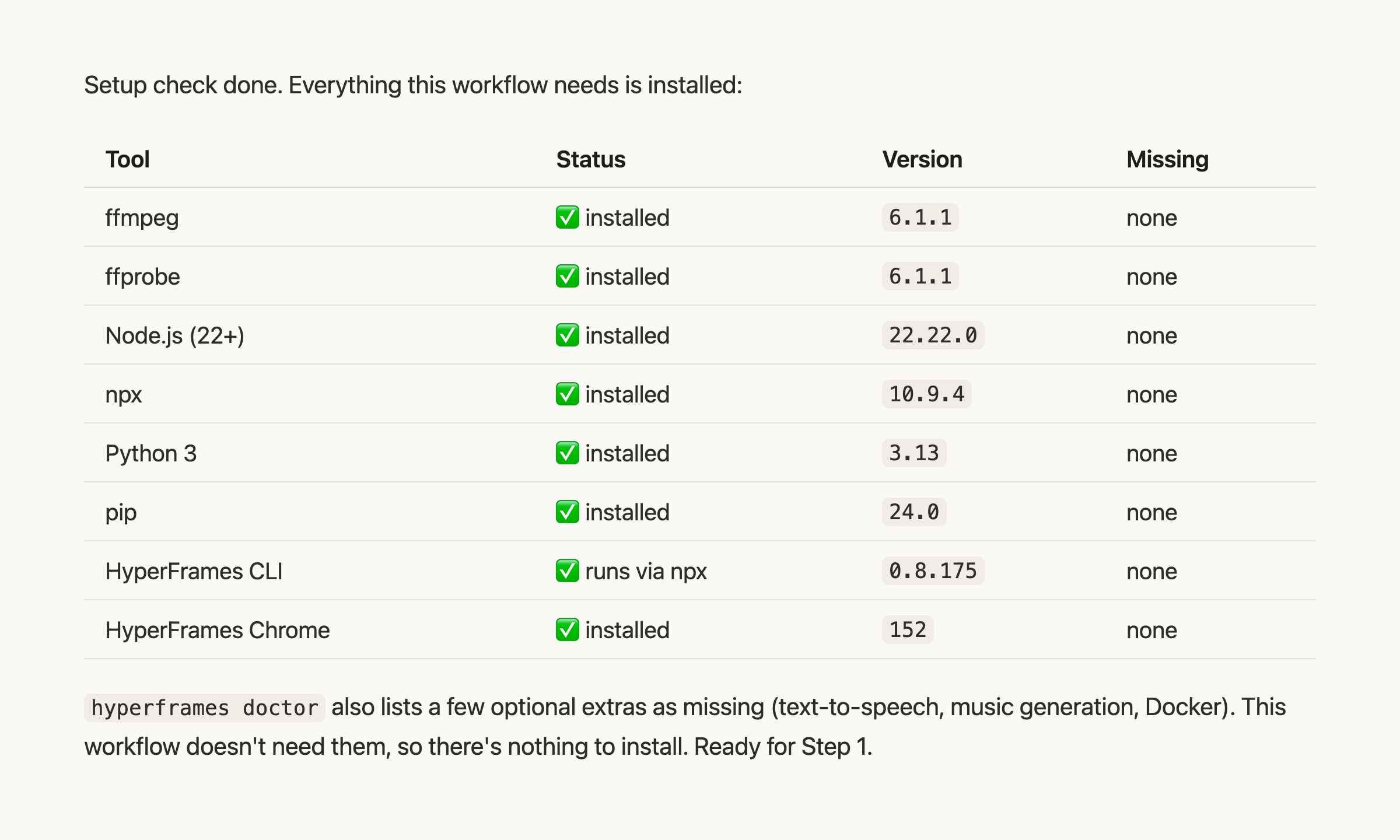
4. Give me a short table: tool, status, version, what it's for.
5. Propose the exact install commands for my operating system for everything missing, including "npx hyperframes browser ensure" if HyperFrames reports that its Chrome is missing. Wait for my OK before you run anything.
6. Note the HyperFrames version that doctor reports and use exactly that version for the whole project.
What a passed setup check looks like: every tool installed, each with its version.
Once everything is green, install the HyperFrames skills so your agent knows how to use the renderer:
npx skills add heygen-com/hyperframes
This adds 21 skills to your project, including one built for exactly this job: talking-head-recut, which syncs overlay visuals to a transcript. Start a new Claude Code session afterwards so the agent loads them.
👉 Proof of this step: a table with every tool marked as installed. Don’t continue with a red line in it.
Free subscribers unlock: Steps 1 to 11 with 10 more copy-paste prompts (transcript, clean cut, brand file, storyboard, scenes and motion graphics, captions, sound mix, render and vertical export, final gate, second language), the complete Studio Rules file, 10 fix-it prompts for the most common failures, a 20-point pre-publish check, and my own video skills that run the whole workflow from one sentence.
Subscribe for free to continue reading
Enter your email and get every post from Future of Marketing.