

Why read this article? Because Anthropic just shipped Claude Design, and most of the early coverage misses the point for marketing teams. This guide is different in four ways:
It is written for marketing leaders, not for designers or developers. Every example is a real marketing problem: a launch landing page, an customer pitch deck, a campaign video, a trade show booth.
Brand is the centerpiece, not an afterthought. Section 4 gives you six concrete ways to plug your existing brand into Claude Design, from a simple URL to a full design system extracted with Cowork.
Four real-world use cases, not hypothetical demos. Two from my own work, two from rhome, a Global Mobility startup. With the exact prompts and screenshots from each step.
Honest limitations included. Three weeks of testing surfaced real rough edges. They are in here, not buried.
The first half is free. The full brand framework, the four use cases, the iteration system, and the limitations are for premium subscribers.
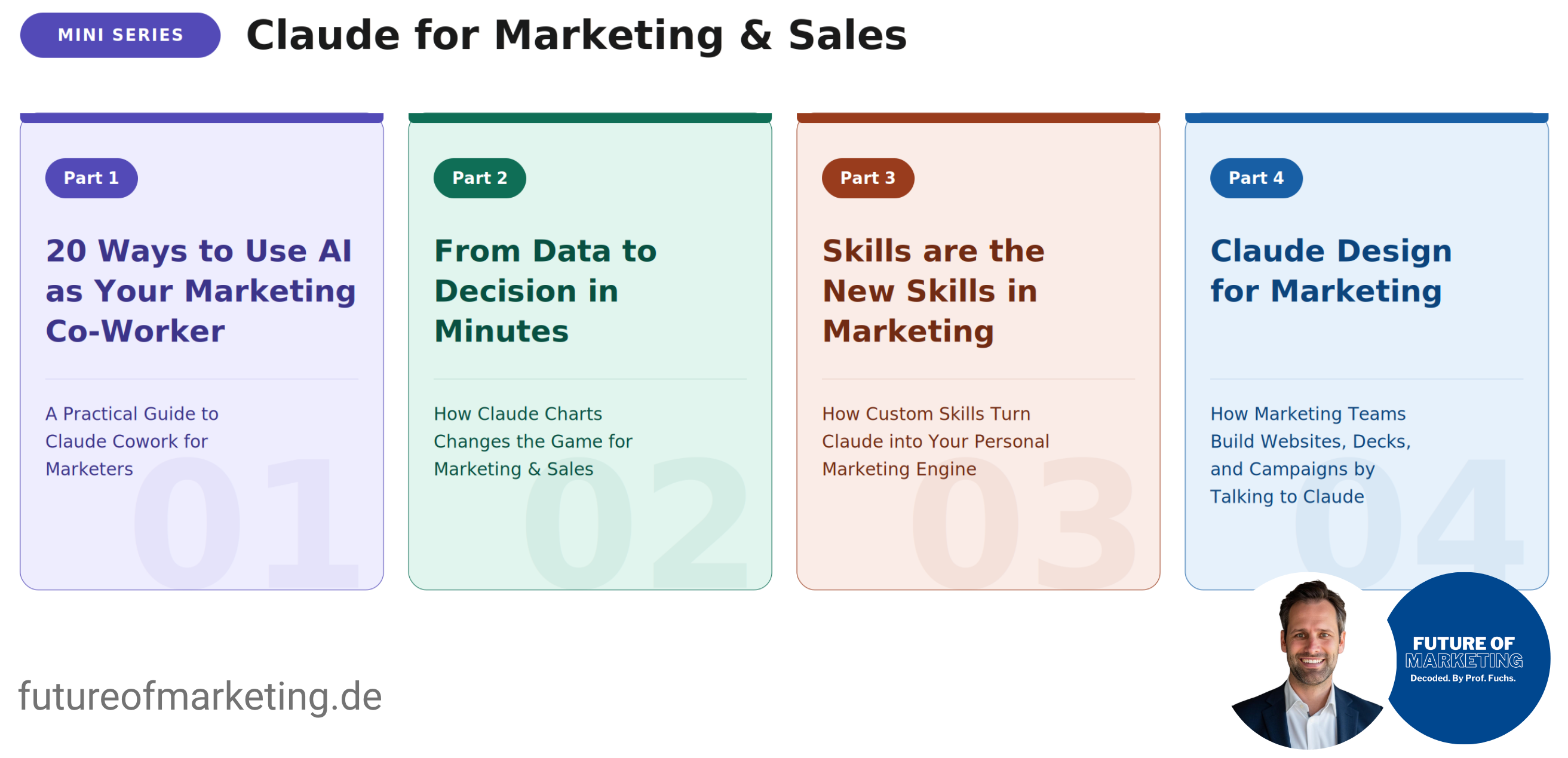
Part 1: 20 Ways to Use AI as Your Marketing Co-Worker: How to set up Claude Cowork, how to work with it, and 20 use cases to start today.
Part 2: From Data to Decision in Minutes: How Claude Charts changes the game for marketing and sales.
Part 3: Skills are the New Skills in Marketing: How custom Skills turn Claude into your personal marketing engine.
Part 4 (this guide). Claude Design for Marketing: How marketing teams build websites, decks, and campaigns by talking to Claude.
A month ago, I showed you how custom Skills make Claude permanently better at your specific marketing work.
This guide picks up where that one left off. Because last week, Anthropic announced another product that quietly changes the economics of marketing work. Claude Design. A direct shot at Figma, Canva, and PowerPoint.
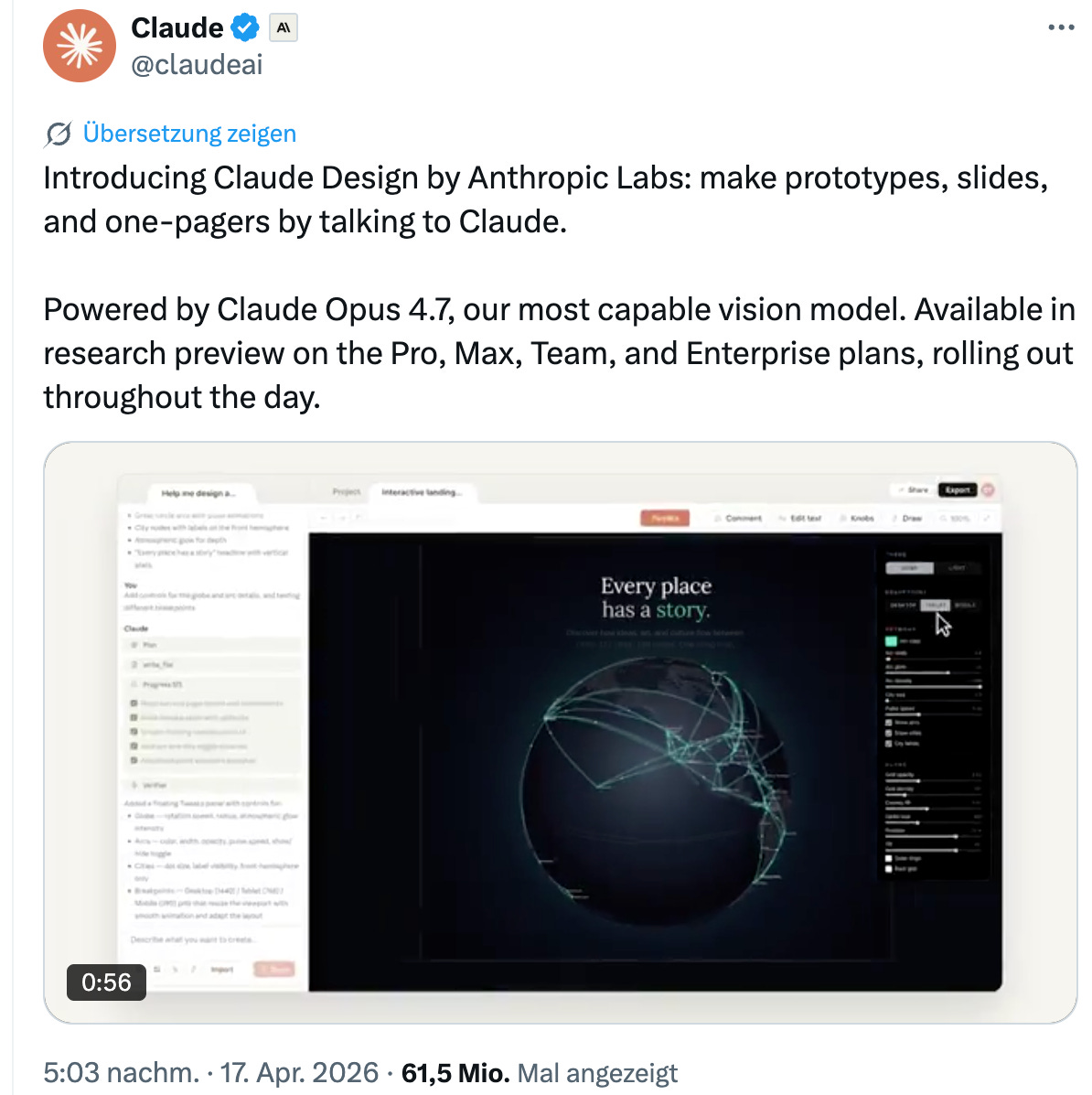
The speed at which Anthropic is shipping is breathtaking. Code. Cowork. Charts. Skills. Agents. And now Design. Each one of these would be a standalone company anywhere else. Here, they are connected features of one growing system.
For marketing teams, this is the most important launch since Claude Cowork.
Not because “AI can now design” (that story is old), but because of what Claude Design actually does in the hands of a non-designer:
Describe a campaign landing page in words. Get a working high-fidelity prototype in under two minutes.
Drop a website URL, a Figma export, or a folder of past campaigns. Claude reads them and builds in your visual language.
Paste an article. Get an animated explainer video. Then convert it into a slide deck.
Point at any world-class brand (Stripe, Linear, Mastercard) and design with their visual standards as a reference.
Export to Canva, PowerPoint, PDF, standalone HTML, or hand off directly to Claude Code.
One conversation. One brand. One export menu that connects to the tools your team already uses.
Here is what changes for marketing teams:
Your people stop briefing. They start building. The product marketer who needs a campaign landing page does not write a design brief and waits two weeks. She opens Claude Design, points it at your brand, types a prompt, and ships a high-fidelity prototype in fifteen minutes. The same is true for the demand generation lead who needs A/B variants for a hero page, the founder who needs an customer sales deck on a plane, the field marketer who needs a coordinated trade show booth, and the CMO who needs a board deck by Friday morning.
Four properties make this possible:
Self-service: No designer queue. No external agency. No three-round feedback loop before a draft exists. The person who needs the asset is the person who builds it.
100% on-brand: With one of the brand paths in Section 4, every output applies your typography, colors, tone, and layout conventions automatically. You do not get a design that looks like Claude. You get a design that looks like yours.
Minutes, not weeks: A campaign page in fifteen minutes. A pitch deck in twenty. A trade show booth set in thirty. The bottleneck is no longer execution. It is knowing what to build.
Marginal cost: No new designer hire. No new tool subscription. No new project budget. The team you have, the brand you have, the Claude plan you already pay for.
This is not a tool that replaces designers. Designers will keep doing what they do better than any model: taste, judgment, brand stewardship, the ability to break a rule for the right reason. They move from execution to direction. They become curators and quality gates, not the bottleneck. For premium brand assets, for category-defining work, for the moments where every pixel matters, you still want a designer in the loop.
But for the 80 percent of marketing assets that today get stuck in queues, eat agency budgets, and arrive too late to matter? Your team can ship them this afternoon.
I have been testing Claude Design intensively since launch. This guide shows you how to set it up, the principles that separate brand-fit results from generic ones, four real field-tested use cases (two of them from my own work), and where it still falls short.
A short note before we start. The tests in this guide take about half an hour to run yourself. Reading about Claude Design gives you half the value. Actually using it gives you the other half. Block the time.
1. How to set up Claude Design
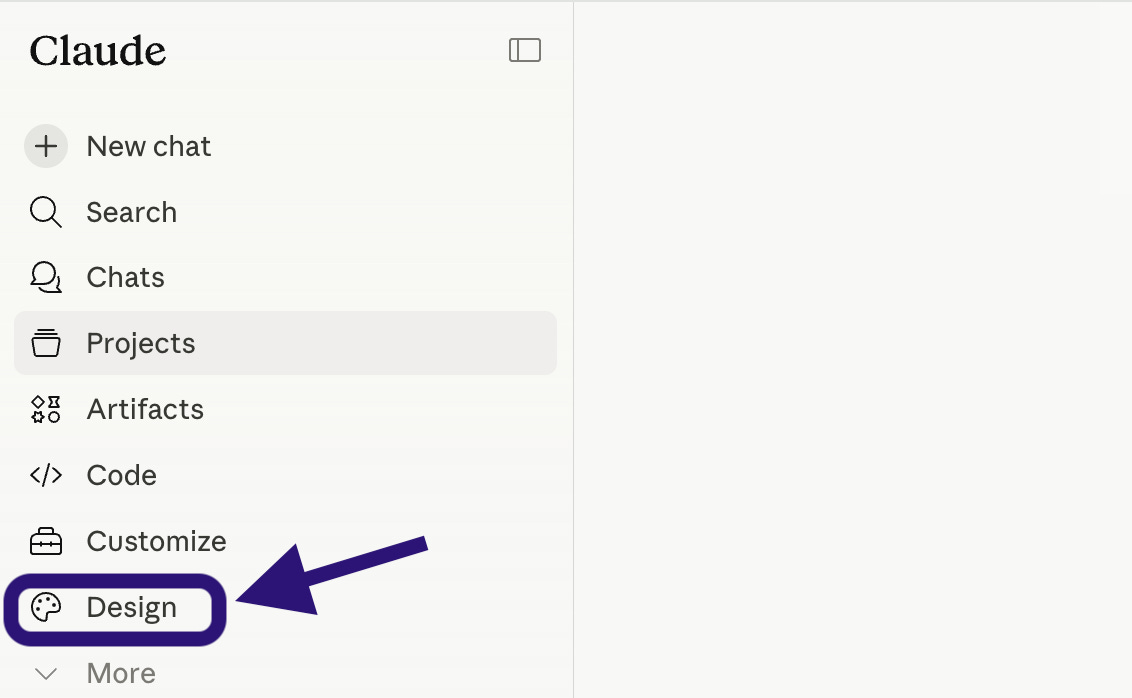
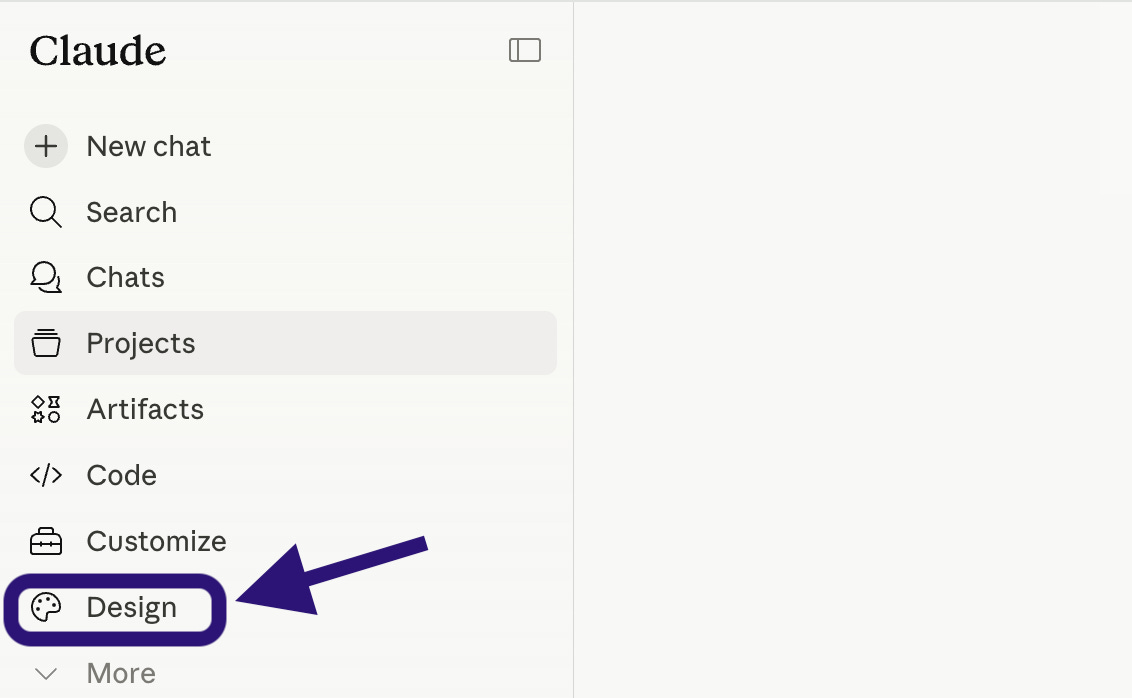
Claude Design is not a new tab inside the Claude chat. It is a separate product with its own URL, its own interface, and its own workspace.
You find it at claude.ai/design. It runs on Claude Opus 4.7, the strongest vision model Anthropic has shipped, and it is currently labeled as a research preview.
If you are on Pro or Max plan: Go to claude.ai/design and sign in with your existing Claude account. The free tier does not include Design.
If you are on Team or Enterprise plan: Your workspace admin needs to enable it. According to Anthropic’s official documentation, the path is: Organization settings → Capabilities → Anthropic Labs → toggle Claude Design on.
If Claude Design is not visible after the toggle is on, the rollout is gradual. Try again in a few days. If you are not an admin, this is the IT request you send today.
Two things to know before your first prompt
First, this consumes tokens fast. A single complex landing page can burn through a meaningful chunk of your monthly Pro allowance. If you plan heavy use, Max is the more realistic plan. Team and Enterprise admins should expect higher token consumption per active user than with the standard Claude chat.
Second, treat the research preview label as honest. Some features are still rough. The “Send to Canva” export worked unreliably in my tests. Some exports lose minor formatting. The product is improving weekly, but plan for it.
2. The interface in three minutes
Open claude.ai/design. You see four entry points at the top of the workspace:
Prototype for landing pages, websites, web apps, dashboards
Slide deck for presentations of any kind
From template for animated videos, design systems, recurring formats
Other for everything in between (campaign assets, posters, ad creatives, social content)
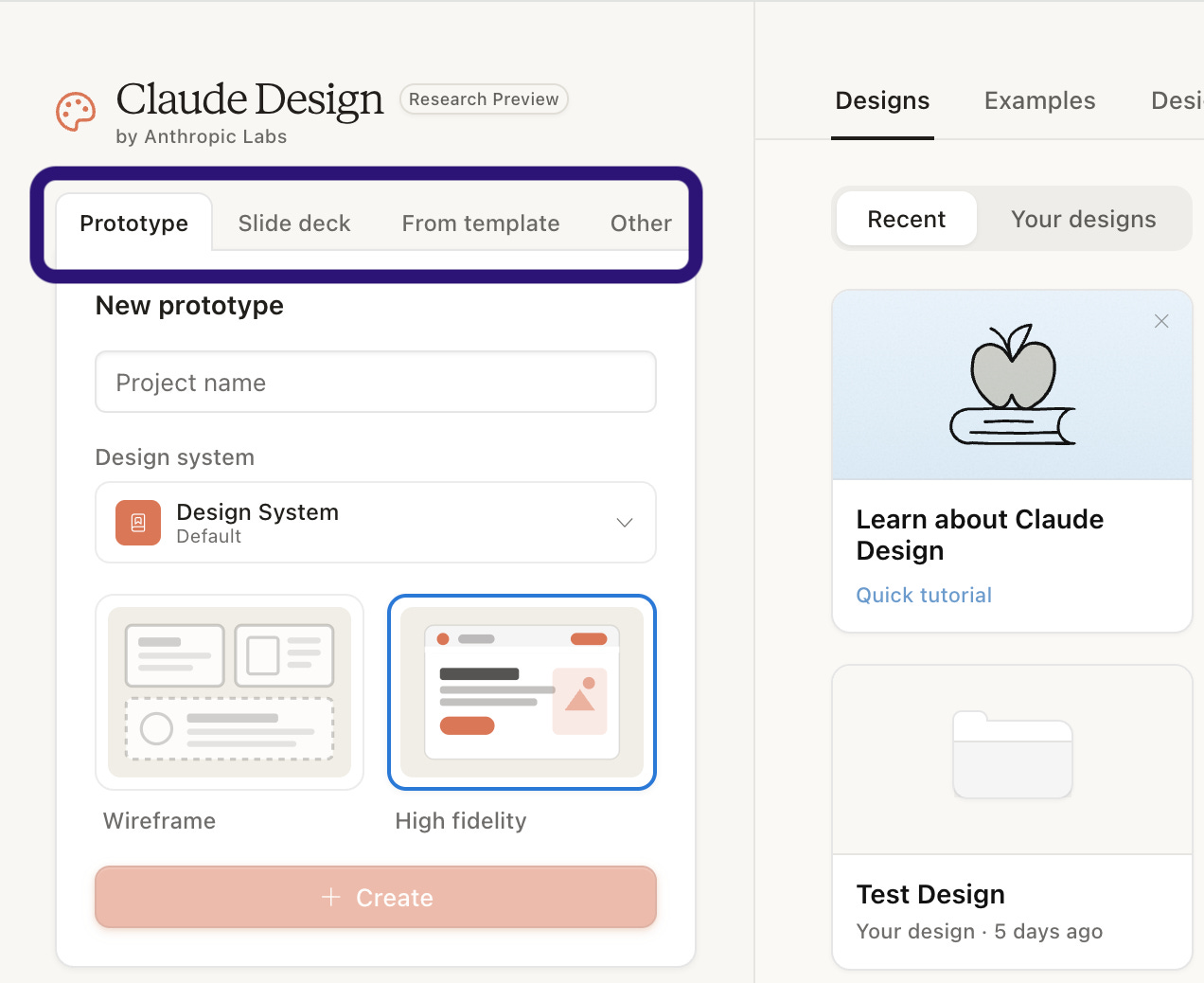
For each entry point, you write a prompt, attach optional context (brand assets, screenshots, Figma exports, markdown files, URLs), and Claude generates a draft. From there, you iterate. Structural changes happen in the chat. Pixel-level changes happen on the canvas. Variant generation happens through the Tweaks button.
The export menu (top right) gives you six output formats: Canva, PPTX, PDF, standalone HTML, a handoff to Claude Code for development, and a download as ZIP.
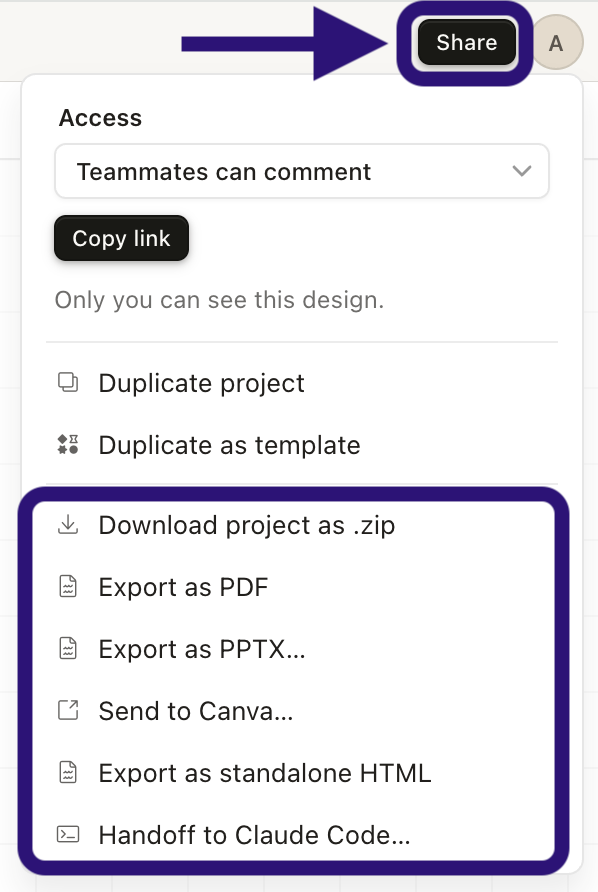
That is the whole product, conceptually. The skill is in how you use it.
3. Three principles for getting brand-fit results
This is the part most coverage skips. And it is the reason most AI design output looks the same: clean, modern, competent, and entirely interchangeable.
Based on my testing outcomes, three principles separated good results from generic ones.
Principle 1: Always start from something, not from nothing
Claude Design is dramatically easier to work with when you start from existing material than from a blank slate.
If you have a website, a Figma file, a brand guidelines PDF, a folder of past campaign assets, or even just two or three screenshots of designs you like, Claude Design has a reference. It can match. It can extend. It produces work that looks like yours.
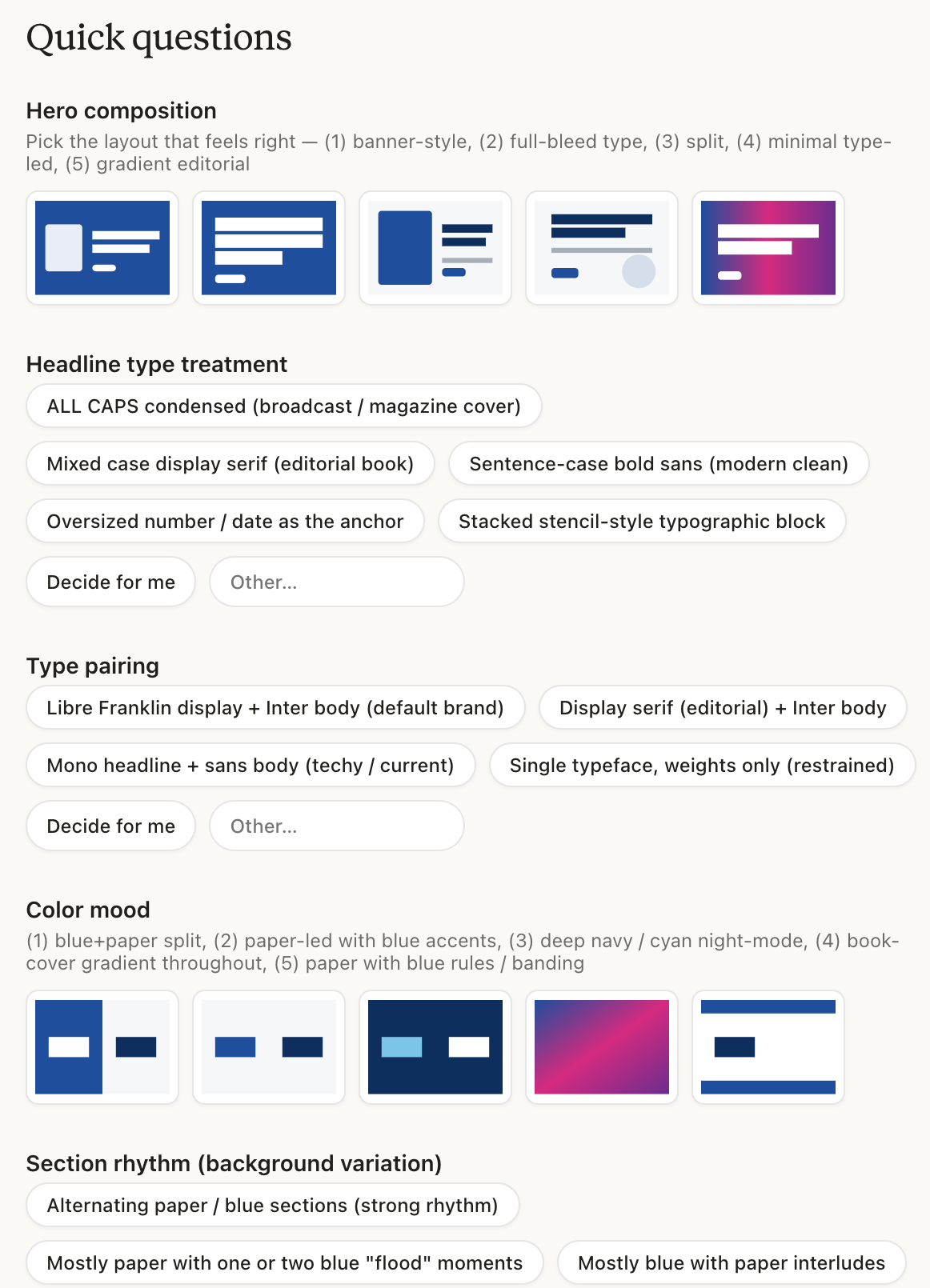
If you start from absolutely nothing, the experience changes. Claude does its best, walks you through smart questions (see screenshot below for landing page example) about audience and tone, and you can hand the design decisions over entirely if you want. The output is competent. But hitting exactly what you imagined takes more iteration, more re-prompting, and more taste calls from you.
This matters for one reason: most marketing teams already have brand assets. Logos, recent campaigns, an existing site, recurring colors, a tone of voice that lives in old emails and decks. The shortcut is not to invent a brand for Claude. It is to extract the one you already have. The next section shows you exactly how, with six concrete paths.
Principle 2: Specificity beats sophistication
A vague prompt produces a generic page. A precise prompt produces a sharp one. The skill is not in finding clever prompts. It is in knowing what to specify.
Four questions are worth answering in every prompt:
Who is this for? (Audience and intent)
What does it need to do? (Goal: convert, inform, convince, inspire)
What should it look and feel like? (Tone, visual reference, examples)
What is non-negotiable? (Brand colors, mandatory components, structural constraints)
When all four are present, the first generation is usually 80 percent there. When any of them is missing, you spend three rounds of iteration filling in what you should have specified upfront.
Principle 3: Iterate inside one session, not across new sessions
This one is counterintuitive. When a generated design feels off, the instinct is to start over with a better prompt. Resist that. Stay in the same chat.
Claude Design carries context within a session. It remembers your earlier choices, your brand context, your tone preferences, the structural decisions it has already committed to. When you say “make the hero more confident” or “show me three alternative pricing layouts,” Claude moves forward inside the world it has already built. When you start a new chat, you are starting from scratch.
The faster you converge, the less you spend on tokens, and the closer the output stays to what you actually wanted.
4. Six ways to give Claude Design your brand
👉 Premium subscribers unlock: The complete six-path framework for plugging your brand into Claude Design (URL, Figma, screenshots, asset folders, borrowed brands, from scratch). Four real field-tested use cases with the exact prompts and screenshots from every step. The four iteration moves that turn a draft into a shippable asset. The export decision tree. The honest limitations. And what this all means for the structure of the marketing function in 2026.